Difference between revisions of "3D Printing Zone"
| Line 24: | Line 24: | ||
| style="height:300px; background-color: white;" | | | style="height:300px; background-color: white;" | | ||
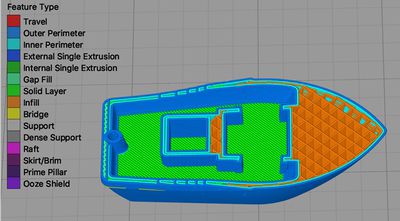
| − | [[File:3DBenchy Sliced.jpg|400px|center|link= | + | [[File:3DBenchy Sliced.jpg|400px|center|link=3D_Printing_Slice]] |
| style="height:300px; background-color: white;" | | | style="height:300px; background-color: white;" | | ||
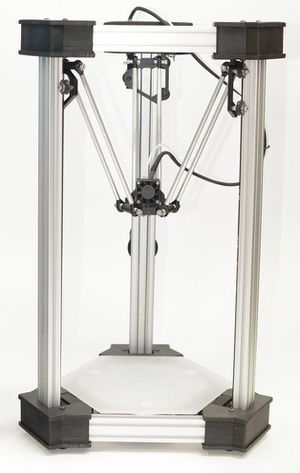
| − | [[File:Deltamaker.jpg|300px|center|link= | + | [[File:Deltamaker.jpg|300px|center|link=3D_Printers]] |
|- | |- | ||
| Line 42: | Line 42: | ||
* [[3D_Printers | Learn how to actually print your model]] | * [[3D_Printers | Learn how to actually print your model]] | ||
* [[Member_Owned_3D_Printers | Learn about other printers owned by members]] | * [[Member_Owned_3D_Printers | Learn about other printers owned by members]] | ||
| − | |||
* [[Deltamaker_2 | Direct link to DeltaMaker page]] | * [[Deltamaker_2 | Direct link to DeltaMaker page]] | ||
| Line 48: | Line 47: | ||
* [[Monoprice_3D_Printers | Direct link to Monoprice Printers page]] | * [[Monoprice_3D_Printers | Direct link to Monoprice Printers page]] | ||
* [[Flashforge_3D_Printers | Direct link to Flashforge Printers page]] | * [[Flashforge_3D_Printers | Direct link to Flashforge Printers page]] | ||
| − | |||
|} | |} | ||
Revision as of 15:59, 7 August 2018
edit
REMEMBER To Reserve Time!
Various tools such as the lasers, 3D Printers, and Forest CNC need to be reserved before using the tool. There is a link on each tool's wiki page, and in each tool's Slack channel to reserve time, or you can select the tool from the MakerFX PickTime page
Note: As of March 2025, we are implementing PickTime tool by tool - review the Slack channel for each tool for current status.
|
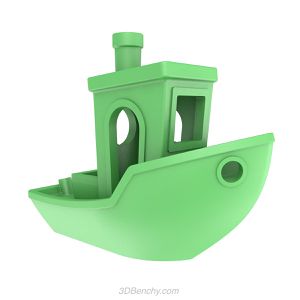
Step 1: Get A 3D Model To Print
|
Step 2: Get Ready To Print
|
Step 3: Use the 3D Printers
|
 |
 |
 |
