Difference between revisions of "Laser Boss LS-1630"
m (Ian moved page Laser Boss to Laser Boss LS-1630: More specific!) |
(Starting boss page) |
||
| Line 1: | Line 1: | ||
| − | + | {{MFXReserveToolTime}} | |
| + | |||
| + | {{Box-round|title=WARNING!| | ||
| + | '''DO NOT''' cut unknown materials in the laser. Read below for a good list of materials that can be used safely in the laser. | ||
| + | |||
| + | '''DO NOT''' hit Stop and then immediately reset, it will lock the laser and require a reboot. | ||
| + | |||
| + | '''DO NOT''' CUT PVC, ANYTHING WITH VINYL, OR UNKNOWN PLASTICS OR FILMS | ||
| + | |||
| + | }} | ||
| + | |||
| + | [[File:Laser_zone_Photo.gif|250px|thumb|right|Laser Zone]] | ||
| + | |||
| + | Point Of Contact TBD on [https://MakerFX.Slack.com Slack] or by e-mail at TBD@TBD.com | ||
| + | For laser help, message or tag @laserhelp in the Slack [https://makereffect.slack.com/archives/C011SGTMMMJ mfx-laser-boss-1630] | ||
| + | |||
| + | {| class="wikitable" | ||
| + | |- | ||
| + | | style="vertical-align:top; text-align:left; background-color: #E5E7E9;" | | ||
| + | ''' | ||
| + | === Step 1: Design === | ||
| + | ''' | ||
| + | | style="vertical-align:top; text-align:left; background-color: #E5E7E9;" | | ||
| + | ''' | ||
| + | |||
| + | === Step 2: Print To Laser === | ||
| + | ''' | ||
| + | | style="vertical-align:top; text-align:left; background-color: #E5E7E9;" | | ||
| + | ''' | ||
| + | === Step 3: Use the Laser === | ||
| + | ''' | ||
| + | |||
| + | |- | ||
| + | | style="height:300px; background-color: white;" | | ||
| + | [[File:Lightburn.jpg|300px|center|link=]] | ||
| + | |||
| + | | style="height:300px; background-color: white;" | | ||
| + | |||
| + | | style="height:300px; background-color: white;" | | ||
| + | |||
| + | |- | ||
| + | | style="vertical-align:top; text-align:left; background-color: white;" | | ||
| + | |||
| + | *[[LightBurn | Learn How To Use Lightburn]] | ||
| + | |||
| + | | style="vertical-align:top; text-align:left; background-color: white;" | | ||
| + | |||
| + | | style="vertical-align:top; text-align:left; background-color: white;" | | ||
| + | |||
| + | |} | ||
Revision as of 14:29, 26 March 2025
edit
REMEMBER To Reserve Time!
Various tools such as the lasers, 3D Printers, and Forest CNC need to be reserved before using the tool. There is a link on each tool's wiki page, and in each tool's Slack channel to reserve time, or you can select the tool from the MakerFX PickTime page
Note: As of March 2025, we are implementing PickTime tool by tool - review the Slack channel for each tool for current status.
edit
WARNING!
DO NOT cut unknown materials in the laser. Read below for a good list of materials that can be used safely in the laser.
DO NOT hit Stop and then immediately reset, it will lock the laser and require a reboot.
DO NOT CUT PVC, ANYTHING WITH VINYL, OR UNKNOWN PLASTICS OR FILMS

Point Of Contact TBD on Slack or by e-mail at TBD@TBD.com
For laser help, message or tag @laserhelp in the Slack mfx-laser-boss-1630
|
Step 1: Design
|
Step 2: Print To Laser
|
Step 3: Use the Laser
|
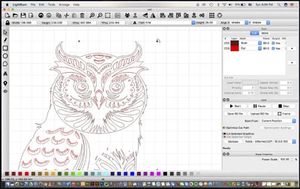 |
||
